Friday, June 15, 2012

How to use switch in gns3 | switching labs in gns3

Today i shall show you how to use Cisco switch in gns3. In node panel of gns3 you  could not find any layer2 or layer3 Cisco switch, you cannot use the Cisco 2900 or 3800 series switches in gns3. But there is a way by which you can use your router as switch by using NM-16ESW module in router. In this way you can configure switching protocols like VLAN, STP, VTP ect.
So follow these steps..
  • First open the "Symbol Manger" from Edit tab.
  • Add a ethernet_switch from  available symbol to customize nodes. Type a name for switch and in Type field assign the Cisco router IOS to switch, in my case i select the  c3600 series and i use the IOS c3640-jk9o3s-mz.124-16a (33MB).

  • Click on apply and then on ok button.
  • Now you can find a new switch in nodes types.


  • Now drag this switch on stage and click on configuration and add  NM-16ESW module from slot tap.

  • click on OK you may received a message "You must use 'manual mode' to connect a link with a NM-16ESW module". Therefore use the manual method to configure this.

Switching labs in gns3 
Now for test i shall configure two vlan on switch.


  • Start your switch and check the command in screen-shot for vlan 10, 20.

For complete switching labs visit following posts of blog.   

1. Switch virtual interface SVI configuration on gns3 
2. Inter VLAN on gns3 
3. Hot Standby Router Protocol configuration on GNS3


SOURCE

Monday, June 4, 2012

China's Invented History


The conflict between the Philippines and China over the Scarborough Shoal may seem to be a minor dispute over an uninhabitable rock and the surrounding waters. But it is hugely important for future relations in the region because it showcases China's stubborn view that the histories of the non-Han peoples whose lands border two-thirds of the South China Sea are irrelevant. The only history that matters is that written by the Chinese and interpreted by Beijing.
The Philippine case for Scarborough is mostly presented as one of geography. The feature, known in Filipino as the Panatag Shoal and in Chinese as Huangyan Island, is some 130 nautical miles off the coast of Luzon, the largest island in the Philippine archipelago. It's well within the Philippines' Exclusive Economic Zone, which, as per the U.N. Law of the Sea Convention, extends 200 nautical miles off the coast. On the other hand, the shoal is roughly 350 miles from the mainland of China and 300 miles from the tip of Taiwan.

China avoids these inconvenient geographical facts and relies on historical half-truths that it applies to every feature it claims in the South China Sea. That's why it's now feuding with not just the Philippines, but other nations too. Beijing's famous U-shaped dotted line on its maps of the South China Sea defines territorial claims within the 200-mile limits of Malaysia, Vietnam, the Philippines and Brunei, and close to Indonesia's gas-rich Natuna Islands.

In the case of the Scarborough Shoal, China's Ministry of Foreign Affairs gives the historical justification that the feature is mentioned in a Chinese map from the 13th century—when China itself was under alien Mongol rule—resulting from the visit of a vessel from China. This "we were there first" argument is nonsense. Chinese sailors were latecomers to the South China Sea, to say nothing of onward trade to the Indian Ocean. The seafaring history of the region at least for the first millennium of the current era was dominated by the ancestors of today's Indonesians, Malaysians, Filipinos and (less directly) Vietnamese.

As China's own records reveal, when Chinese traveled from China to Sumatra and then on to Sri Lanka, they did so in Malay ships. This was not the least surprising given that during this era, Malay people from what is now Indonesia were the first colonizers of the world's third largest island, Madagascar, some 4,000 miles away. (The Madagascan language and 50% of its human gene pool are of Malay origin). They were crossing the Indian Ocean 1,000 years before the much-vaunted voyages of Chinese admiral Zheng He in the 15th century.

Malay seafaring prowess was later overtaken by south Indians and Arabs, but they remained the premier seafarers in Southeast Asia until the Europeans dominated the region. The Malay-speaking, Hindu-ized Cham seagoing empire of central Vietnam dominated South China Sea trade until it was conquered by the Vietnamese about the time the European traders began to arrive in Asia, while trade between Champa (present-day southern Vietnam) and Luzon was well established long before the Chinese drew their 13th century map.
The Scarborough Shoal, which lies not only close to the Luzon coast but on the direct route from Manila Bay to the ancient Cham ports of Hoi An and Qui Nhon, had to be known to Malay sailors. The Chinese claim to have "been there first" is then like arguing that Europeans got to Australia before its aboriginal inhabitants.

Another unsteady pillar in China's claim to the Scarborough Shoal is its reliance on the Treaty of Paris of 1898. This yielded Spanish sovereignty over the Philippine archipelago to the U.S. and drew straight lines on the map which left the shoal a few miles outside the longitudinal line defined by the treaty. China now conveniently uses this accord, which these two foreign powers arrived at without any input from the Philippine people, to argue that Manila has no claim.
The irony is that the Communist Party otherwise rejects "unequal treaties" imposed by Western imperialists, such as the McMahon line dividing India and Tibet. Does this mean Vietnam can claim all the Spratly Islands, because the French claimed them all and Hanoi has arguably inherited this claim?

China also asserts that because its case for ownership dates back to 1932, subsequent Philippine claims are invalid. In other words, it uses the fact that the Philippines was under foreign rule as a basis for its own claims.

Manila wants to resolve the matter under the U.N. Law of the Sea Convention, but Beijing argues that its 1932 claim isn't bound by the Convention, which came into effect in 1994 since it preceded it. That's a handy evasion, most probably because China knows its case for ownership is weak by the Convention's yardsticks.

China is making brazen assertions that rewrite history and take no account of geography. Today's naval arguments won't come to an end until the region's largest disputant stops rewriting the past.
Mr. Bowring is a Hong Kong-based journalist.

Source 

Sunday, April 15, 2012

Top 10 Awesome Things You Can Do With the Underused Gadgets You Already Own

Top 10 Awesome Things You Can Do With the Underused Gadgets You Already Own


Top 10 Awesome Things You Can Do With the Underused Gadgets You Already Own

If you're a fan of technology, chances are you've retired a few gadgets over the years and they're sitting in a box in your closet. Today's the day to dig out your leftovers and start thinking about what you can do to let them live and breathe again. Here are ten of our favorite ideas to get you started.

10. Repurpose Your Old Computer in Many, Many Ways

Repurposing an old computer is awesome but it's obvious, so let's get this one out of the way first. There is so much you can do. Laptops can become tablets, desktops can become powerful storage devices, and much more. Old computers are just slow computers with an outdated selection of ports, less storage and RAM, and generally paltry graphics cards. All you need is something else that has those minimal requirements and there's plenty you can do. Web servers, media centers, retro arcades, a kitchen computer that can get a little messy because it's old and you don't care,

9. Create Audio-Visual Mixes for Parties with a Digital Photo/Media Frame

Top 10 Awesome Things You Can Do With the Underused Gadgets You Already Own

The digital photo frame is something we've all gotten as a gift or bought with hopes that it was going to take us into the future of photo displaying. In the end, I think most of us feel like we were sold storage box filler. If you actually use a digital picture frame, you get the added bonus of paying more money for it for the rest of time. These things draw a reasonably large amount of power for something nobody is looking at most of the time, especially considering their analog predecessors—you know, normal picture frames—don't have that downside and can still display whatever photo you want. I could go on complaining about the downsides of spending tens of dollars on one of these basically pointless devices, but let's not and focus on the positive instead.

You don't want to be running your digital picture frame 24/7 (unless you love paying for wasted energy), so your best bet is to start looking at the thing as a device for specific events. Instead of loading it up with photos, stock your frame's internal storage (or SD card) with art that you like. If it can play video, put music videos on it or just find some awesome motion graphics on Vimeo (that's what I did). Hook it up during a party and you've got something cool to display (instead of photos of your tame vacation to Southern Florida). If it handles audio, too, hook up some speakers and you'll essentially have an audio-visual party mix.

8. Make a Clock, Smartphone Stand, or Laser Show with a Dead Hard Drive


What can you do with a dead hard drive? A lot, apparently. For example, you can turn it into a laser light show projector, make a steampunk clock, or turn it into a smartphone stand. Hard drives, even when dead, always seem like such a substantial thing to throw away. Instead, just make something cool and let it's spirit live on against the wall, on your desk, and in your heart.

7. Lose an Old Laptop, Gain a Second Monitor

Top 10 Awesome Things You Can Do With the Underused Gadgets You Already Own

Yeah, yeah, we've technically looked at things you can do with an old computer but those were all things that didn't involve taking them apart and actually turning them into new things. If you've got an old laptop that you never use but wouldn't mind having a second display for your desktop computer (or newer laptop), you're in luck! This Instructables post will teach you how to take your laptop apart and make the display usable with another computer. You could even use the bottom half of your laptop to do any of the old computer uses we mentioned earlier. It's a win-win.

6. Create the Best Keychain Ever with Old Cables


While old cables are nice to have around in case you need them someday, there isn't much you can do to repurpose them into something better. Nonetheless, there is one really awesome option: the Ethernet cable keychain. (See the photo to the right if you're not sure why this is so awesome). Technically you could do this with other types of cables, but Ethernet has the distinct advantage of being both thick and locking into its port. Other cables might not hold the weight of your keys or stay in quite as well.

5. Turn Your Nintendo Entertainment System, Controllers, and Games into Several Awesome New Gadgets


The Nintendo Entertainment System (NES) will live on forever as so many different items. You can turn it into a DVD player, make a game cartridge a wireless router, repurpose a controller as an MP3 player or remote control. If you're not ready to part with your NES, you can also just give it an upgrade and, therefore, a bit more life. Just don't let it go to waste.

4. Use Those Unused Ports on Your TV to Charge Your Phone, Set up a Security Camera, and More!


The ports on the back of your TV are often under-appreciated. Most of us plug in an HDMI box or two and call it a day, but the old school ports (and even some newer ones) let you do all sorts of neat things. The service USB port on most flatscreens is one of the most fun, allowing you to power all sorts of USB devices. This means you can plug in backlighting, or charge your smartphone or game controller. Video out ports can output what's on your television to another monitor or device so you can view from multiple locations or record what you're watching. A port or two on your television can probably host live video input from a camera you own, which can work as a makeshift security monitor or even a fun display at a party. For a whole bunch of ideas, and a primer on all the ports you've got, check out this post.

3. Turn Your Router into a Wireless Radio

Although I've been with the same router for four years now (aww), before I decided to settle down with my DD-WRT-ed LinkSys 310N I went through routers like toilet paper. If I hadn't given them all new homes before learning I could turn one of them into a wireless radio, I'd have done that in a heartbeat. Although this is one of the more complex DIY projects you can take on, it's also one of the coolest. Just check out the video to the left to learn how it's done. It's definitely a weekend project, but when you're done you'll have a wireless radio for the price of a router you weren't even using.

(Pssst! If that's not your style, try this bonus option: turn your router into a home automation server.

2. Use a Mobile Device as a Dedicated VOIP Phone

iPod touches make great iPhones when you add Skype, or any other VOIP service, to their array of apps, but any old device will do. Even if you've got a tablet you're not using anymore it can make a great phone (if you add a headset). Just keep it around the house and you've got a great makeshift home phone line (especially when you get Google Voice involved). Tablets also make great video conferencing devices (assuming they're sporting cameras). If you'd rather not sell yours because it isn't worth much anymore, use it solely for communication. It's remarkably helpful if you don't get great (or any) cellular service in your home.

1. Upgrade Your Crappy Headphones


When you're spending under $50 on headphones you're generally not going to get the greatest pair, but there is a lot you can do to make them worth far more than their price tag. Replacing the drivers yourself can net you audiophile-level sound on the cheap. You can also splice them with a headset to give them a few extra superpowers or even turn them into a noise-isolating headset (in some cases). If you've got a crappy pair and some time, these upgrades will give you a better sound and features without the associated cost.


Sunday, April 8, 2012

The World's Billionaires - Forbes

The World's Billionaires - Forbes

$69 B

Age:72
Mexican billionaire Carlos Slim Helu smiles after receiving the "Sor Juana Ines de la Cruz" Medal in Mexico City September 29, 2011. (REUTERS/Carlos Jasso)

Thursday, March 22, 2012

Light Rail Transit (LRT) Holy Week schedule 2012


Press Release  

March 12, 2012
Ref       :           Atty. Hernando T. Cabrera
                        LRTA Spokesperson
                        854-0452/ 506-6129
                        0920-9703772

                       Evelyn E. Paragas
                        Manager, Public Relations Division
                        854-0452/ 506-6129
                        0917-8725631


LRT announces Holy Week schedule
 
   
In line with Department of Transportation and Communications’ Ligtas na Kuaresma Program for the upcoming Lenten Season, the Light Rail Transit (LRT) Authority today announced its operating schedules for the upcoming Holy Week, from 4-8 April 2012.
Both LRT 1 and 2 train lines will be closed from 8:00 p.m. on Wednesday, April 4 until April 8, Easter Sunday for the annual maintenance work on the systems.
Line 1 runs from Baclaran in Pasay City to Roosevelt in Quezon City, while Line 2 stretches from Recto in Manila to Santolan in Pasig City.
"In observance of the annual Holy Week, we are suspending our commercial operations starting at 8:00 p.m. on Wednesday, April 4,” said Engr. Emerson L. Benitez, LRTA Officer-In-Charge. “During this period, we will conduct maintenance works for the two lines.”
Benitez said this will involve the cleaning and checking of all LRT facilities, systems and equipment, and replacement of catenary wires, and rail ballasts along critical segments.
Normal operations will resume on April 9, Monday at 5:00 a.m, which is also a public holiday in commemoration of Araw ng Kagitingan.

Can Robots Make Amazon a Better Place to Work?


When you place an order on Amazon.com and a package ends up on your doorstep a few days later, you may not consider it what it took to get it there. The logistical systems that enable massive online retail are built on human labor, and an industry of factory "pickers" exists to scoop books, shampoo, and whatever else you order off warehouse shelves and into cardboard parcels.
Journalist Mac McClelland ventured into one of these packing facilities to experience life as a “warehouse wage slave,” and discovered that the experience is physically trying: Impossible quotas and uncomfortable working conditions—not to mention precarious job security and unfair labor practices—leave the pickers who scramble around the warehouses in a position of near-exploitation. But the workers need these jobs to support their families and themselves.
A big part of the problem is worker misclassification: temporary, contract workers treated like full-time employees without receiving the same protections and compensation. Better enforcement of labor laws (and stronger protections for workers) can make a difference.
But another problem for these workers is the nature of the job: The only way to get more productivity out of workers is for them little to run faster, bend over more often, and take fewer breaks. Amazon is becoming increasingly sensitive to these issues (and the costs of employees). Yesterday, it announced the purchase of Kiva Systems, a company that makes warehouse robots already in use at retailers like Zappos and Staples. These robots are a force multiplier for workers, allowing one person to do the work of many without moving around so much. Check out this video:

If Amazon can utilize this technology and, more importantly, improve it by integrating its logistical distribution partners directly with the robot manufacturer, we could see higher-quality jobs for the people who make online retailers work.
But more automation on the floors of these warehouses also means fewer jobs for people, and despite the current conditions, people need jobs. That’s a big problem that can’t be corrected at just one business, but it’s a reminder that a macro-level problem deserves macro-level attention from the government, which has the tools to ramp up demand, re-train more workers, and reward innovation.

Source

Friday, March 16, 2012

Development Bank of the Philippines - Loan Application

So business is doing good. What's next? thinking of bringing it to the next level?


Getting Started

Borrowing requirements and procedures vary from bank to bank. But the procedures described here will illustrate what can generally be expected when an entrepreneur approaches a bank to obtain credit, i.e. get a loan.

It is important for you, the borrower, to take note that getting a loan approval starts from planning well.

The steps that follow include preparations which you, as an entrepreneur, must do by yourself, before approaching a financial institution, or even before deciding to borrow.


1. Evaluate whether you are in a position to borrow

Try to answer the questions below to find out whether you have what it takes to be a borrower who can be considered a good "credit-risk."

  • Am I honest, with clear lines of credit, trustworthy and without any police record? Do I fulfill my obligations and honor my commitments? In other words, can I pass a bank's credit investigation? Is my financial stake in the business sufficient to influence me to honor and repay my debt?
  • Do I manage my cash flow well? Do I have ready sources to repay my obligations? Do I have a written record of my cash receipts and disbursements? Do I have the documents to show (for example, income tax returns and financial statements) that my business has consistently been profitable over the past few years? Have I been dealing with a bank through which I can show the flow of my cash in the form of deposit account?
  • Am I in an industry that has bright prospects for growth? Is my business job-creating, local material utilizing or dollar-generating? Is the community where my business is operating contributory to industrial growth?
  • Do I have collateral without debt or lien, in the form of land, building, automotive vehicle, or equipment of value? If I have none, will someone lend me collateral? Otherwise, am I eligible for guarantee-coverage from credit guarantee institutions?

2. Estimate accurately the amount that you need to borrow.

Whether the loan is for the acquisition of fixed assets (such as equipment, land, or building) or to get more working capital ( to pay salaries, raw materials, inventories, utilities, etc.), it is important not to underestimate the amount required. It is always better to borrow a bit too much than too little.

3. Choose the bank to approach.

Generally choose the bank that knows you and understands your business best. It should also preferably be one that is near to your business or home.

  • The choice of bank must also be determined by the size and purpose of the loan, as well as the size and status of the business.
  • For small loans between P50,000 and P5 million, approach development banks, savings banks and rural banks. Consider borrowing also from special lending programs for small enterprises such as the SME Unified Lending Opportunities for National Growth (SULONG) Program of the Development Bank of the Philippines, Land Bank of the Philippines, National Livelihood Support Fund, Philippine Export-Import Credit Agency, Quedan and Rural Credit Guarantee Corporation, and Small Business Guarantee and Financial Corporation.
  • For bigger loans above P5 million, approach private development banks, commercial banks and unibanks.

4. Go through the loan application process of the bank you choose.

Submit the various documentary requirements and go through interviews and credit investigations:

  • Application forms - The forms vary according to the bank but the following information are usually asked: name, address, telephone number, legal form and nature of the business; registration with government business registries (such as the Securities and Exchange Commission, the Department of Trade and Industry, or the city or municipal government); product lines; amount of capitalization; names of owner/partners/stockholders; type, amount, and purpose of loan applied for; and description of collateral offered.
  • Documentary requirements - The requisite papers should preferably be prepared before applying for a bank loan. Incomplete documents can cause delays. The following documents are commonly asked for:
  • Community Tax certificate, taxpayers' identification number, BIR-stamped tax declaration for the past three years, financial statement for the past three years, bank and grade references.
  • Mini business plan or project feasibility study, especially for borrowers who are just starting in business. The business plan basically contains a forecast in terms of money of what the business is going to be like for each month of a given year. It gives estimates of production expenses and expected sales revenues.
  • Business registration papers. For single proprietorships, registration with the Department of Trade and Industry and with the municipal office. For partnerships, articles of partnership and joint resolution to borrow. For corporations, SEC-certified articles of incorporation with by-laws, board resolution to borrow, and stockholders’ biodata. For cooperatives, registration with the Bureau of Cooperative Development.
  • Papers pertaining to collateral. For real estate mortgage, copy of TCT, location plan with vicinity map, tax clearance, tax receipts, tax declaration, insurance, floor plan or pictures. For chattel mortgage, invoice with official receipt for payment of chattels, registration certificates, insurance, L/C evidencing payment in case of imported equipment. For exporters, letters of credit, confirmed purchase orders and sales contracts.

Be sure you understand all these documentary requirements clearly. Ask for a checklist and go through each requirement carefully with the loan officer assigned to you. Know the documents required – in what form (original or certified true copy) and in how many copies. Don’t hesitate to ask questions and clarifications.

Personal Interview
The purpose of the interview is to gather information in order to establish your creditworthiness as a prospective borrower. Again, this is an opportunity for raising questions which you have in mind.

5. Get ready for an ocular inspection of your plant/workplace as well as the property being offered as collateral.

A bank appraisal report is made of the property, which includes: land identity; description of the land; neighborhood data; public utility improvements; valuation and encumbrances.

6. Be prepared for a credit investigation.

The credit investigation report generally covers the following:

  • The company's background and history, covering the date of registration/incorporation, the type of business organization, records of registration, names of incorporators, and a summary of operating records.
  • Financial condition. The current breakdown of financial statements reflecting the results of operation for the past three years. It also includes schedules, explanations of extraordinary items, breakdown of merchandise and receivables and full explanation of all inter-company loans and merchandise transactions.
  • Dealings with government agencies. The lending bank checks on the credit availed of by the applicant from lending government agencies, the nature of the loan, collateral offered, and installment payments, including arrearages, if any.
  • Bank's experience with the borrower, if the applicant is an old client.
  • Court cases: The bank checks on civil or criminal cases involving the applicant. It also obtains information about the applicant from competitors.

After the credit investigation and supporting documents have been accomplished and evaluated, a recommendation for approval is prepared and the release of the loan is facilitated.

Borrowing from a bank can be a long and tedious process which may take anywhere from a few days to a few months. Being sure that you understand all the above procedures and requirements will definitely help shorten the process.

Remember too, that officers from special lending programs will monitor your business even long after the loan has been released. They check on your books and records. For loans on a letter of credit or purchase order, they monitor your production activities to see to it that deliveries and shipments are made on time. They do so in order to confirm that the loan is being utilized for the purpose you have indicated and to help ensure that your business stays viable and capable of keeping up with loan repayments.

Are you ready to apply for a loan?


source

Thursday, March 15, 2012

10 Open Source VoIP servers and proxies

10 Open Source VoIP servers and proxies


A SIP proxy/registrar is an essential part of a VoIP network. Today I will focus on all Open Source available solutions for deploying SIP proxies. Some proxies are useful for beating NAT by rewriting IP addresses in SIP messages, some proxies are useful as security tools and some of them act as registrar proxies which are the most important part of a VoIP network.

There are many types of SIP proxies. Transaction stateful proxies keep track of transaction state machines, transaction stateless proxies create no transaction state when forwarding a request. B2BUA (back-to-back user agent), a back-to-back user agent inserts itself actively in SIP calls. It splits a call in two legs and presents itself as callee to the caller and as caller to the callee. SIP proxies act as registrar when they allow users to log-in and they keep track of them. A registrar is a server that accepts REGISTER requests and places the information it receives in those requests into the location service for the domain it handles. A redirect server is a user agent server that generates 3xx responses to requests it receives, directing the client to contact an alternate set of URIs.The redirect server allows SIP Proxy Servers to direct SIP session invitations to external domains.
Let's see some of them. Notice that most of them there are not only SIP proxies but they can act also as PBX, PSTN gateways or media servers.

Image by comedy_nose on Flicker

Asterisk PBX:
Asterisk is software that turns an ordinary computer into a voice communications server. Asterisk powers IP PBX systems, VoIP gateways, conference servers and more. It is used by small businesses, large businesses, call centers, carriers and governments worldwide. Asterisk is free and open source. Asterisk is sponsored by Digium. It can be used as registrar.


OpenSIPS:
OpenSIPS (Open SIP Server) is a mature Open Source implementation of a SIP server. OpenSIPS is more than a SIP proxy/router as it includes application-level functionalities. OpenSIPS, as a SIP server, is the core component of any SIP-based VoIP solution. With a very flexible and customizable routing engine, OpenSIPS 'unifies voice, video, IM and presence services in a highly efficient way, thanks to its scalable (modular) design.
What OpenSIPS has to offer, comes in a reliable and high-performance flavour - OpenSIPS is one of the fastest SIP servers, with a throughput that confirms it as a solution up to enterprise or carrier-grade class.


MjServer:
Cross-platform SIP proxy/registrar/redirect, written in java, based on MjSip stack. MjSip is a complete java-based implementation of a SIP stack.
It provides in the same time the API and implementation bound together into the MjSip packages. MjSip is available open source under the terms of the GNU GPL license (General Public Licence) as published by the Free Software Foundation. It can be used as Registrar, Redirect, Stateless Proxy or Stateful Proxy.

MySIPSwitch:
SIP Proxy server which allows using multiple SIP accounts with a single SIP login. A SIP signalling consolidation tool that allows multi-user management of diverse SIP providers and allows central management of any SIP based VoIP service. Included in this project are a SIP Stack, SIP Registrar, SIP Registration UAC, SIP Stateful Proxy, STUN Server and more. The components are all written in C#.
This project is currently being used to provide the live service at http://www.mysipswitch.com
They have a forum to discuss the service, the technical issues, feature requests.
My SIPSwitch enables you to take advantage of 5, 10 or 20 different SIP Providers anywhere in the World. This will allow you to tailor fit a VoIP service to meet your needs from several different providers, thus guaranteeing you the best call rates possible.


OpenSBC:
MPL licensed SIP proxy/registrar/B2BUA with NAT traversal and ENUM.
OpenSBC is an open source (MPL License) Session Border Controller and B2BUA.

Features:

  • Registrations
  • B2BUA
  • NAT traversal
  • ENUM

Open SBC has been under developement and in use for 7 years in high volume applications.
Commercial support is available from the original developers.


Kamailio:
Kamailio is an Open Source SIP Server released under GPL, able to handle thousands of call setups per second. Among features: asynchronous TCP, UDP and SCTP, secure communication via TLS for VoIP (voice, video), SIMPLE instant messaging and pressence, ENUM, least cost routing, load balancing, routing fail-over, accounting, authentication and authorization against MySQL, Postgres, Oracle, Radius, LDAP, XMLRPC control interface, SNMP monitoring. It can be used to build large VoIP servicing platforms or to scale up SIP-to-PSTN gateways, PBX systems or media servers like Asterisk™, FreeSWITCH™ or SEMS. The application is written in C for Linux/Unix platforms and focuses on performance, flexibility and security. In addition to C, extensions can be written in Lua, Perl or Python.


Partysip:
Partysip is an implementation of a SIP proxy server. SIP stands for the Session Initiation Protocol and is described by the rfc2543 (soon to be deprecated by latest revisions). SIP is a open standard replacement from IETF for H323.
Partysip is a modular application where some capabilities are added and removed through plugins. The program comes with several GPL plugins. At this step, partysip and its plugins could be used as a 'SIP registrar', a 'SIP redirect server' and a 'SIP stateful proxy server'. (stateless capabilities have been removed)


Siproxd:
SIP and RTP Proxy. Siproxd is a proxy/masquerading daemon for the SIP protocol. It handles registrations of SIP clients on a private IP network and performs rewriting of the SIP message bodies to make SIP connections work via an masquerading firewall (NAT). It allows SIP software clients (like kphone, linphone) or SIP hardware clients (Voice over IP phones which are SIP-compatible, such as those from Cisco, Grandstream or Snom) to work behind an IP masquerading firewall or NAT router.
SIP (Session Initiation Protocol, RFC3261) is the protocol of choice for most VoIP (Voice over IP) phones to initiate communication. By itself, SIP does not work via masquerading firewalls as the transfered data contains IP addresses and port numbers. There do exist other solutions to traverse NAT existing (like STUN, or SIP aware NAT routers), but such a solutions has its disadvantages or may not be applied to a given situation. Siproxd does not aim to be a replacement for these solutions, however in some situations siproxd may bring advantages.


sipXecs:
Complete, native SIP PBX solution from SIPfoundry. The sipXecs IP PBX is the leading open source IP PBX. It excels in terms of scalability, robustness and ease of use. The sipXecs IP PBX has been successfully deployed in lots of of places. The largest known installation serves more than 6,000 users connected to one redundant (HA) system. Small installations go all the way down to a few users served by very low cost hardware. sipXecs is a very sophisticated VoIP unified communications system. Thanks to its powerful Web based management system it is so incredibly easy to use, which is probably its single most important accomplishment.


SIP proxy:
With SIP Proxy you will have the opportunity to eavesdrop and manipulate SIP traffic. Furthermore, predefined security test cases can be executed to find weak spots in VoIP devices. Security analysts can add and execute custom test cases.


SOURCE

Tuesday, February 28, 2012

Breath-Taking Bohol

Last October 2010, We went to Bohol for my daughte's 4th birthday. Yeah, its like 2 years later.I decided to create a travel blog for all our travels. Hopefully, this can provide information for people who plans to spend their vacation at Bohol.This was the itinerary i came up with by reading blogs and forums.


BOHOL TRIP ITINERARY  
  
October 6, 2010, Wed - DAY 1  
02:30 AM – Leave Caloocan  
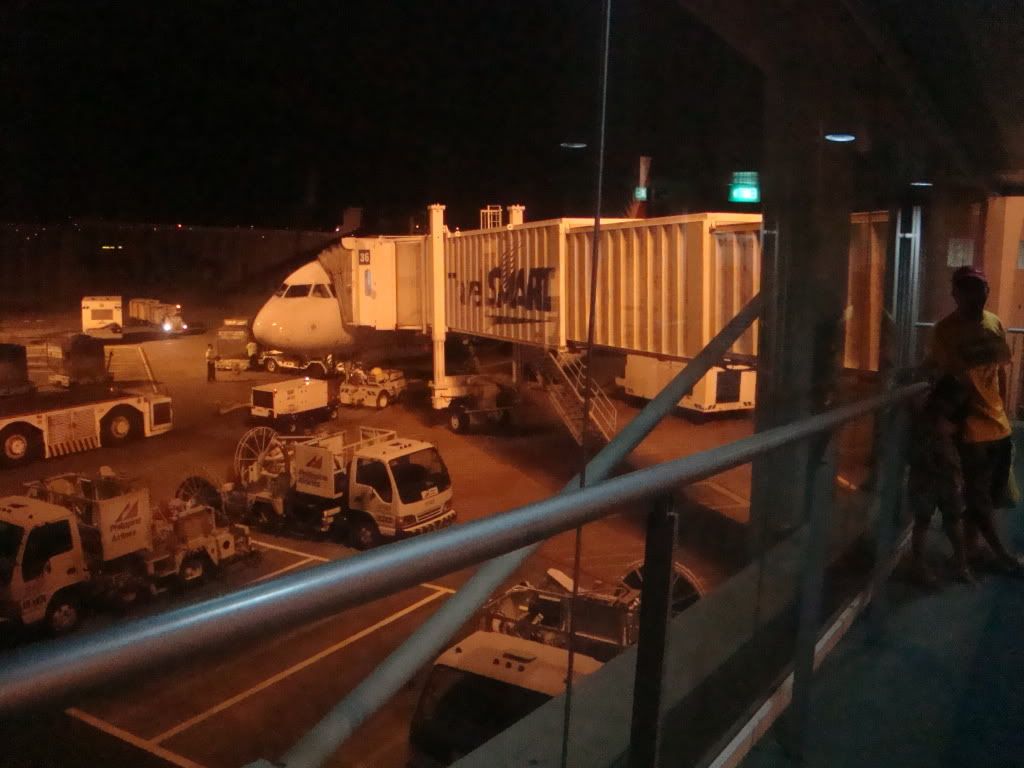
05:35 AM – Leave Manila     Philippines Airline - PR173     Ninoy Aquino International Airport Centennial Terminal 2, Philippines 


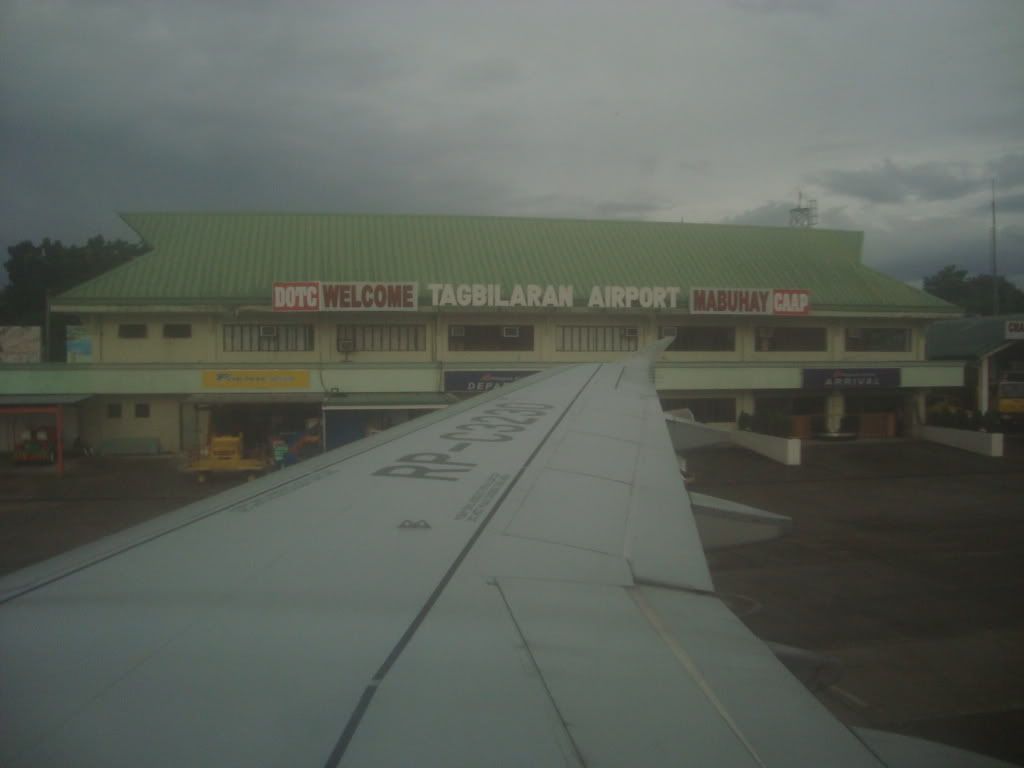
07:00 AM – Arrival at Tagbilaran Airport. 


1 Day Countryside tour:   
·                     Blood compact    
·                     Baclayon Church  
·                     Biggest python  
·                     Actual blood compact 
·                     Tarsier  
·                     Loboc river cruise  
·                     Hanging bridge  
·                     Man made forest 
·                     Butterfly center 
·                     Chocolate Hills 
·                     Hinagdanan cave  
·                     Bohol beefarm 


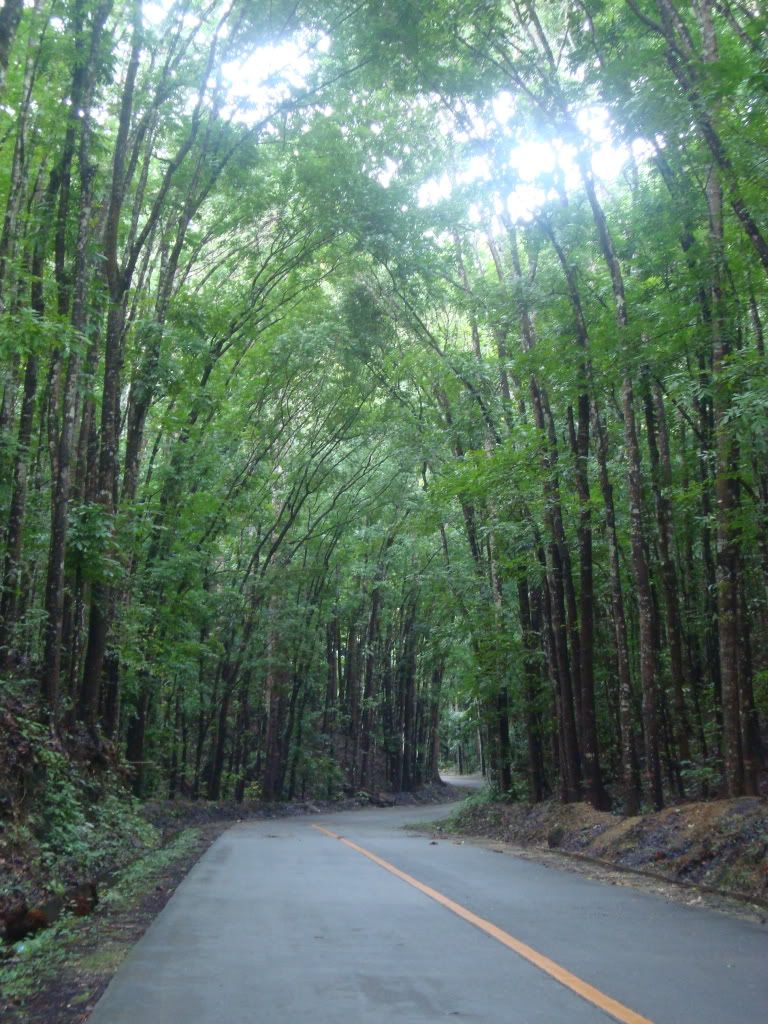
 First Stop was the Man-made forest:


Second Stop, Carmen. To see the famous Chocolate Hills.


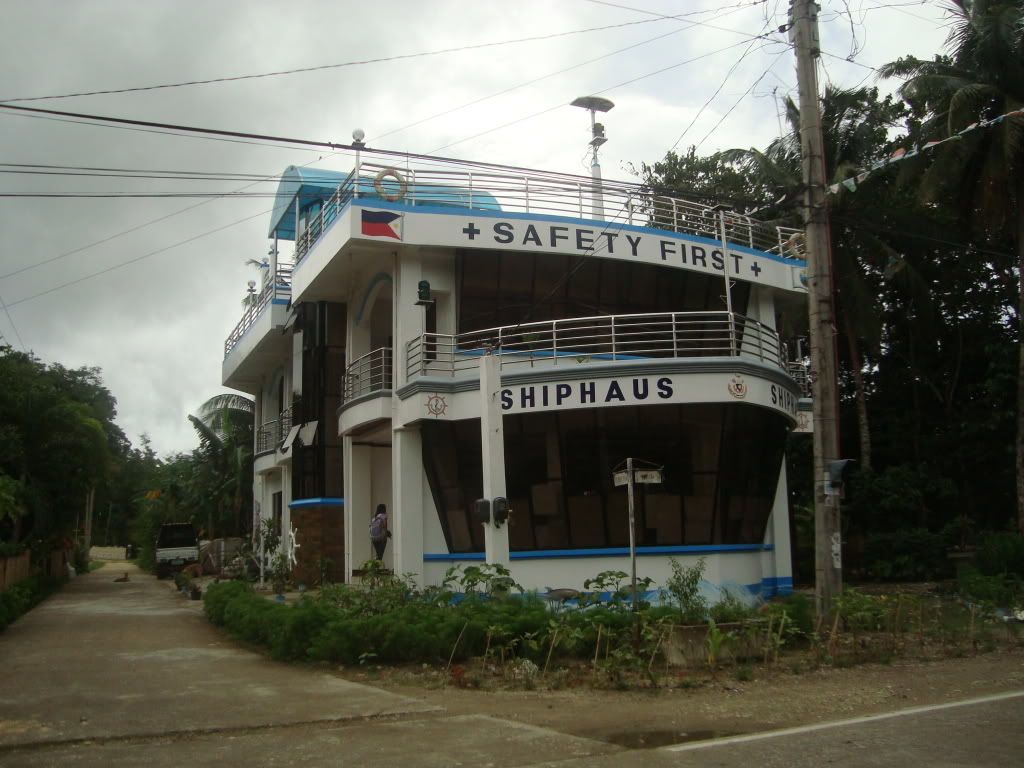
Along the way, we saw this ship house. Our tour guide mentioned that many tourist drops by to take pics of this attraction.


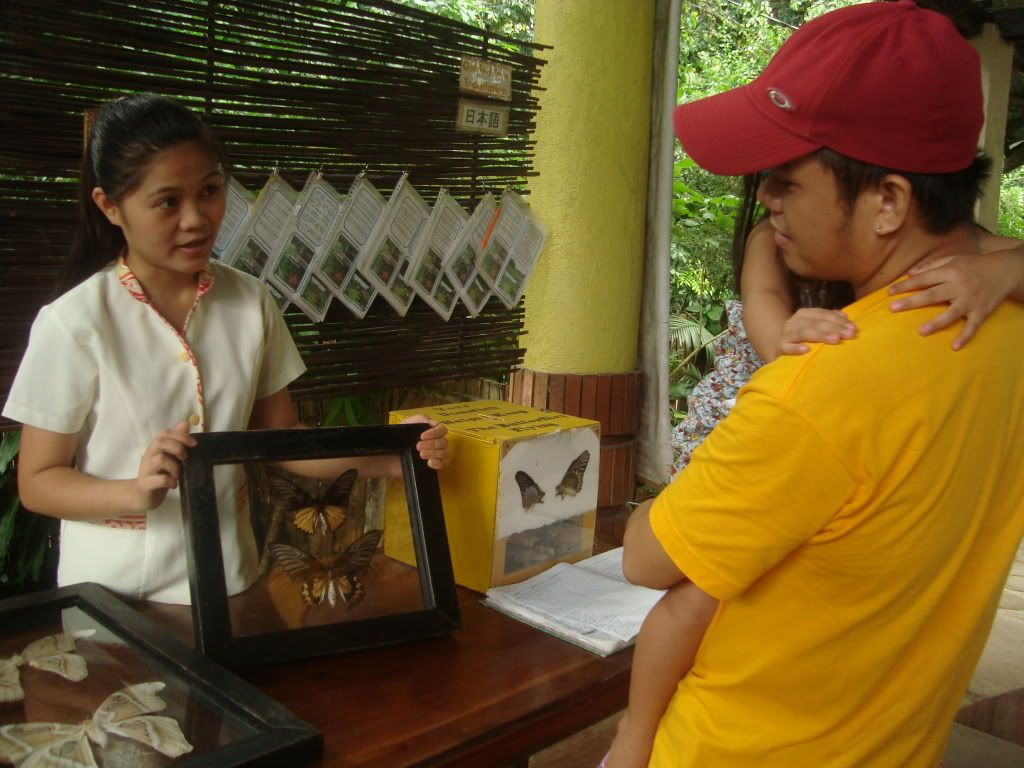
Then we dropped by to the butterfly center, i didnt really enjoy it. Maybe because ive already seen one in Baguio before. If you want to save time you may skip this part.


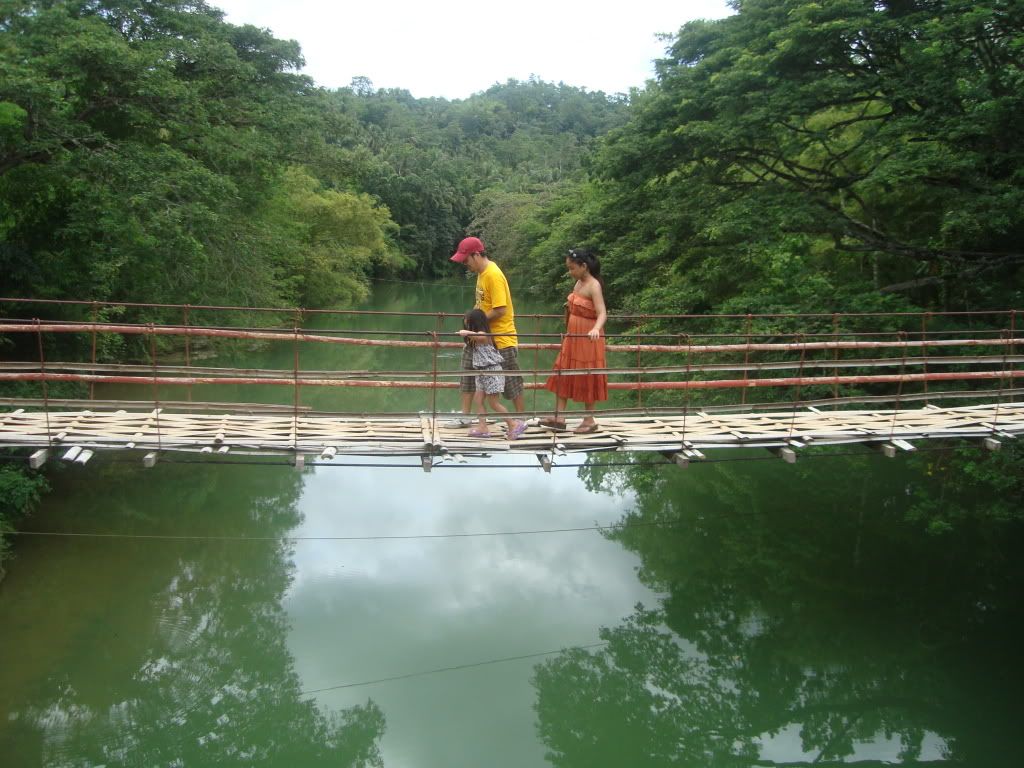
Before seeing Tarsiers, we went to the Hanging Bridge, there were stored on the other end of the Bridge. This is where you can buy the cheapest  peanut kisses.


Last stop before our lunch. The Tarsiers! Make sure you turn off your flash before taking their pics.


12:00 PMLunch at floating resto (Riverwatch) 
Countryside tour: F tour agad pagdating dito ang rate sa car for countryside tour is 1.8k up to 4pax, f rgular van is 2.5k up to 12pax, shutle van is 3k- 13 to 18pax. Sundo port at hatid resort na after d tour. Sa inyo entrances 140 per head lahat2x na. Lunch sa floating resto (Riverwatch) is 400 per head. Target 12 spots until sawa service 
3:00 - 5:00 PMCheck in sa White and Green. (1.6k with breakfast po. Walang tv, wifi meron.) 
Relax sa beach 
BUDGET: Countryside tour: 1,800 +1,300 (floating resto/entrance fee) = Php 3,100 
October 7, 2010, Thur - DAY 2 
06:00 AM– Breakfast at White and Green 
07:00 AM - Seatour Itinerary: 
·                     Dolphin watching  
·                     Snorkeling in Balicasag Island 
·                     Island hopping in Virgin Island 
Rates: alona - 1.3k up to 6 pax and 1.5k if 7pax up. Dumaluan - 1.5k up to 6pax and 1.7k if 7pax up. Free 4 snorkling mask, exces wil rent 75 each. Sa inyo guide sa snorkling site 150 per head singil nla. 
01:00 PM Lunch : We asked our bangkero to make a stop at Alona Beach. There we bought some cooked food for lunch. Its cost us around 300 pesos for the 3 of us.
BUDGET: Seatour: 1,500 + 500 (tour guide)+ food = php 2,500  
October 8, 2010, Fri-DAY 3– HAPPY 4TH BIRTHDAY CAILYN!!! 
06:00 AM – Breakfast at White and Green 
07:00 – 05:00 PM  
·         Swimming sa Beach 
·         Pasyal/Lunch/Swimming sa Bohol Beach Club 
BUDGET: Seatour: 1,500 + 500 (tour guide)= php 2,000  

As we all know, Bohol is famous for their beach. I have never been to Boracay yet. But i can say Bohol is the prettiest beach ive seen  so far.


October 9, 2010, Sat - DAY 4 
06:00 AM– Breakfast at White and Green 
07:00 AM – Leave the resort 
07:30 AM – Buy Pasalubong 
08:30 AM – At the Airport 
TAGBILARAN    PR176 P 09OCT 1030 OK      PAN                   15K   OK 

Numbers to Remember: 
Dolphin Watching – 09081534117 
Bohol Tourism Office                                                                            Address: Ground Floor New Provincial Capitol Building, Marapao Street, 6300 Tagbilaran City, Bohol, Philippines          Phone: +63 38 411 3666                                                                      Phone: +63 38 501 9186 
Miscellaneous: 
1.                    Resort Balance - 2,400  
2.                    Tatsky back to the Airport transpo fee – 500 
3.                    Pasalubong = 1,500 
4.                    Food Budget = 2,500 


Saturday, February 25, 2012

VoIP Services 101 | Broadband Phone Company Providers - VoIP Providers | VOIP in a nutshell

VoIP Services 101 | Broadband Phone Company Providers - VoIP Providers

CIRCUIT SWITCH TECHNOLOGY (PSTN)

Circuit Switch Technology

Historically, telecommunications companies have relied on what is commonly referred to as ‘circuit-switched technology’ to transport telephone calls. This technology establishes a 'permanent' connection between the calling and the receiving parties for the entire duration of the call.

The problem with circuit-switched technology is that it requires a significant amount of bandwidth dedicated to each call, and it can only support certain types of calls (i.e. telephone to telephone). Moreover, the hardware needed to run circuit-switched networks is very expensive due, in large part, to the fact that voice and data services must be carried by different wires and thus need separate hardware to accommodate the two types of traffic. The higher cost of the hardware has caused many traditional telephone companies to resort to using parts of the Internet infrastructure to connect PSTN calls. You may have already placed or received a call using VoIP technology without even knowing it.

Naturally, the traditional telephone companies pass along the costs of building and maintaining a circuit-switched network to the consumer in the form of higher rates for their telephone services. Telecom companies may save some money by borrowing from Internet bandwidth, but if your call is placed on a regular telephone using PSTN hardware you won't see those savings.

VoIP TECHNOLOGY:

VoIP Technology Diagram
As the name implies, VoIP refers to calls that traverse networks using Internet Protocol (IP). This may mean that the calls are going over the Internet, or it may simply mean that calls are traveling over privately managed data networks that are using IP to transport the calls from one location to the other.

The voice stream is broken down into packets, compressed, and sent toward its final destination by various routes (as opposed to establishing a 'permanent' connection for the duration of the call), depending on the most efficient paths given network congestion.

At the receiving end, the packets are reassembled, decompressed, and converted back into a voice stream by various hardware and software elements. Whether the call originated on a PC, telephone, or an Integrated Access Device (IAD), and whether it is going to be terminated on a PC, telephone, or IAD, will determine the type of software and hardware needed to initiate and complete the call. Over the years, broadband phone company providers have been working on improving and re-engineering the hardware and software used in VoIP calls. Today you can compare a VoIP provider’s voice-quality to the traditional circuit-switched technology and find that the VoIP provider’s quality is comparable and often superior. VoIP services and features have also evolved and allow customers many new and exciting options, such as online account management, three-way calling, call forwarding, and extra/virtual numbers.

VoIP 101 (DETAILED TECHNICAL OVERVIEW):

Many years ago it was discovered that sending a signal to a remote destination could be done in a digital fashion: before sending it we have to digitalize it with an ADC (analog to digital converter), transmit it, and at the end transform it again in analog format with DAC (digital to analog converter) to use it.

VoIP services work in just that manner, digitalizing voice in data packets, sending them, and reconverting them into voice at their destination.

Digital format can be better controlled. We can compress, route, and convert it to a better format, and so on. Also, we saw that a digital signal is more noise tolerant than an analog signal.

TCP/IP networks are made of IP packets containing a header (to control communication) and a payload to transport data. VoIP uses the header to navigate the network to its destination. The payload carries bits of the conversation.

What are the advantages to using VoIP rather than the PSTN-Public Switched Telephone Network (the phone company)?

When you are using a PSTN line, you typically pay a line manager company for the time used. The more time you talk, the more you'll pay. In addition, you will probably not have the option of speaking with more that one person at a time.

In contrast, VoIP Services allow you to talk as long as you would like with multiple people (other people may also need to be connected to the Internet) as far away as you want for free or for a fraction of the PSTN cost. You can also browse the Internet at the same time; sending images, graphs, and videos to the people you are talking with.

The Steps in VoIP communication:

  1. The ADC converts analog voice to digital signals (also known as bits)
  2. The bits are compressed into a format for transmission. There are a number of protocols, SIP being the most common for VoIP.
  3. The voice packets are compressed even further into data packets using a real-time protocol (typically RTP over UDP over IP).
  4. A signaling protocol calls the users: ITU-T H323 is the standard signaling protocol.
  5. Upon arrival at the destination the packets are disassembled, data is extracted, and converted analog voice signals are sent to the sound card (or phone).

All of the steps must occur in real-time to avoid waiting too long for a vocal answer! (See QoS section)

Analog to Digital Conversion

This process occurs inside computer hardware, typically an integrated card in your PC or an external telephone adaptor.

Today every sound card allows 16 bit conversion from a band of 22050 Hz (for sampling you need a freq of 44100 Hz according to the Nyquist Principle) obtaining a throughput of 2 bytes * 44100 (samples per second) = 88200 Bytes/s, 176.4 Kbytes/s for a stereo stream.

For VoIP, we needn't such a throughput (176kBytes/s) to send voice packets.

Compression Algorithms

Now that we have digital data it can be converted to a standard format that can be quickly transmitted.

PCM, Pulse Code Modulation, Standard ITU-T G.711

  • Voice bandwidth is 4 kHz, so sampling bandwidth has to be 8 kHz (for Nyquist).
  • We represent each sample with 8 bit (having 256 possible values).
  • Throughput is 8000 Hz *8 bit = 64 kbit/s, as a typical digital phone line.

In real application mu-law (North America) and a-law (Europe) variants are used which code analog signal in a logarithmic scale using 12 or 13 bits instead of 8 bits.

Quality of Service (QoS)

VoIP applications require real-time data streaming to support an interactive data voice exchange.

Unfortunately, TCP/IP cannot guarantee this kind of purpose; it just makes a "best effort" to do so. So we need to introduce tricks and policies that can manage the packet flow in EVERY router we cross. If you subscribe to one of the broadband phone company providers their technical support can help you setup your router to optimize voice transmission. Technical support can be a distinguishing factor in determining which of the VoIP providers you choose.

Here are some methods to improve VoIP transmission:

  1. TOS field in IP protocol to describe type of service: high values indicate low urgency while more and more lower values denote more and more real-time urgency
  2. Queuing packets methods:
    1. FIFO (First in First Out), the less intelligent method that allows passing packets in arrival order.
    2. WFQ (Weighted Fair Queuing), means fair passing of packets (for example, FTP cannot consume all available bandwidth), depending on the type of data flow, typically one packet for UDP and one for TCP in a fair fashion.
    3. CQ (Custom Queuing), user can define priority.
    4. PQ (Priority Queuing), a number (typically 4) of queues with a priority levels for each one: packets in the first queue are sent first, then (when first queue is empty) starts sending from the second one and so on.
    5. CB-WFQ (Class Based Weighted Fair Queuing), like WFQ but, in addition, we have class concepts (up to 64) and the bandwidth value associated for each one.
  3. Shaping capability allowing limitation of the source to a fixed bandwidth for:
    1. download
    2. upload
  4. Congestion avoidance, such as RED (Random Early Detection).

Source